
Take design into Work
Goal: hand off one concrete change without losing its design context. For live work, the project needs a GitHub repository and connection. The bundled example can demonstrate the reading and editing flow locally.
1. Save the intent
Section titled “1. Save the intent”Put the accepted behavior in a project page. State what should happen, the important constraints and how you will recognize the result. Keep unresolved ideas visibly unresolved.
2. Create the task
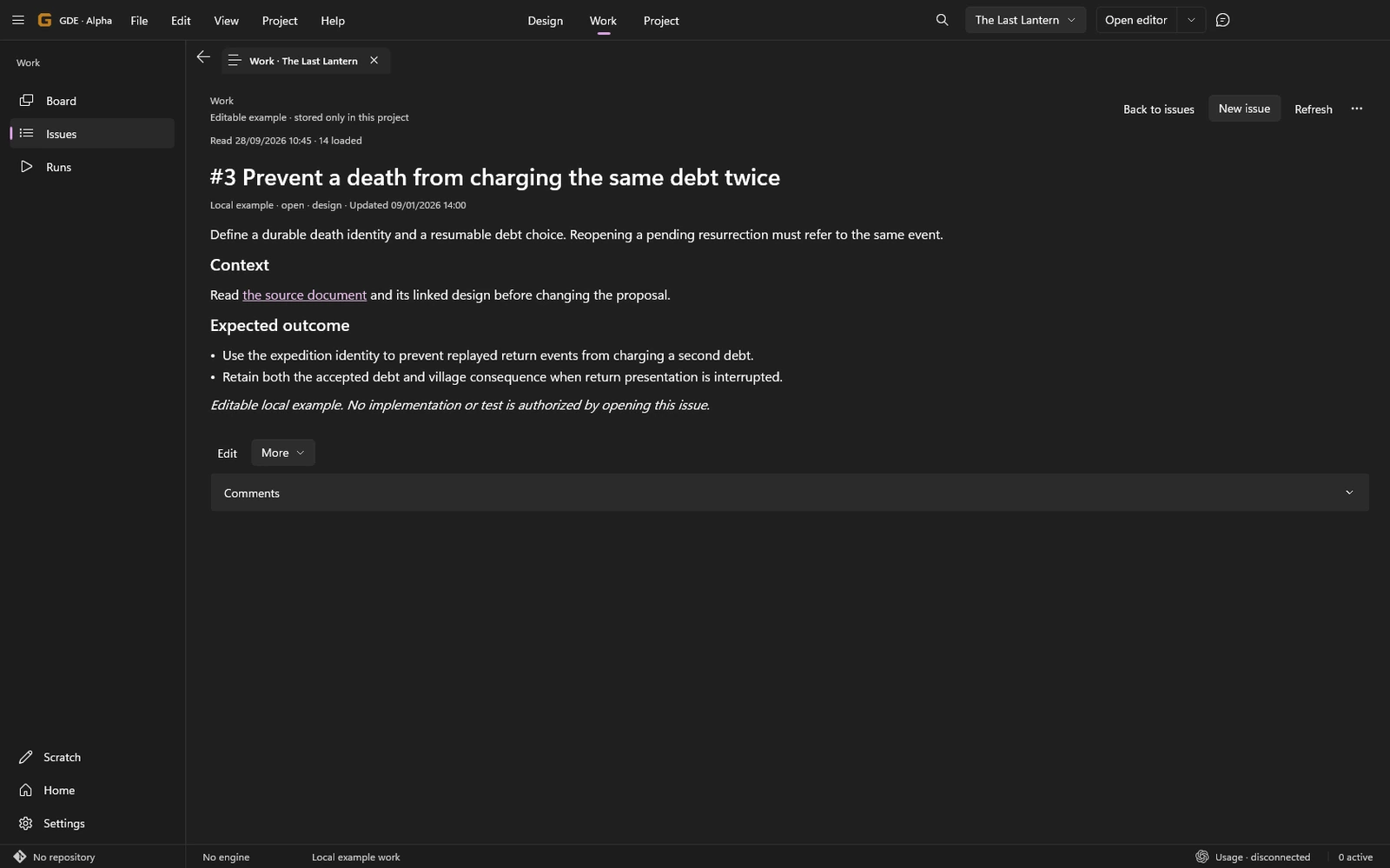
Section titled “2. Create the task”Use New issue in Work, or explicitly ask Director to create the issue from the selected design. Inspect the repository, title, body and linked sources before submission.
The issue should be the implementation task. It should not merely say “follow the chat” when the relevant decision is otherwise lost in a conversation.
3. Choose when to implement
Section titled “3. Choose when to implement”Move the issue to Ready when that reflects your workflow. Start implementation separately with Implement or an explicit request to Director.
Check the chosen source context and working location. Starting a Run records an attempt; it does not mean the change has been delivered.
4. Follow the result
Section titled “4. Follow the result”Open the related Run from the issue. Review its actual changes and evidence before accepting the result. Use Review an implementation for that next step.
If publication or message delivery is uncertain, check its status rather than creating a second issue or Run to get past the notice.
Result: one issue tied to durable design, with an explicit implementation attempt when you request it.