
Images, markup and media
Keep visual feedback beside the source material. GDE stores annotations separately so the original artwork remains available unchanged.
Annotate an image
Section titled “Annotate an image”Open an image or markup document. The primary tools are Select, Pan, Pen, Arrow and Eraser. Less frequent shapes and ink or layer settings are in the toolbar’s overflow.
Select an object to change its geometry or appearance. Use layers to organize annotations, and lock a layer when it should not move. Fit and zoom change your view; they do not resize the source art.
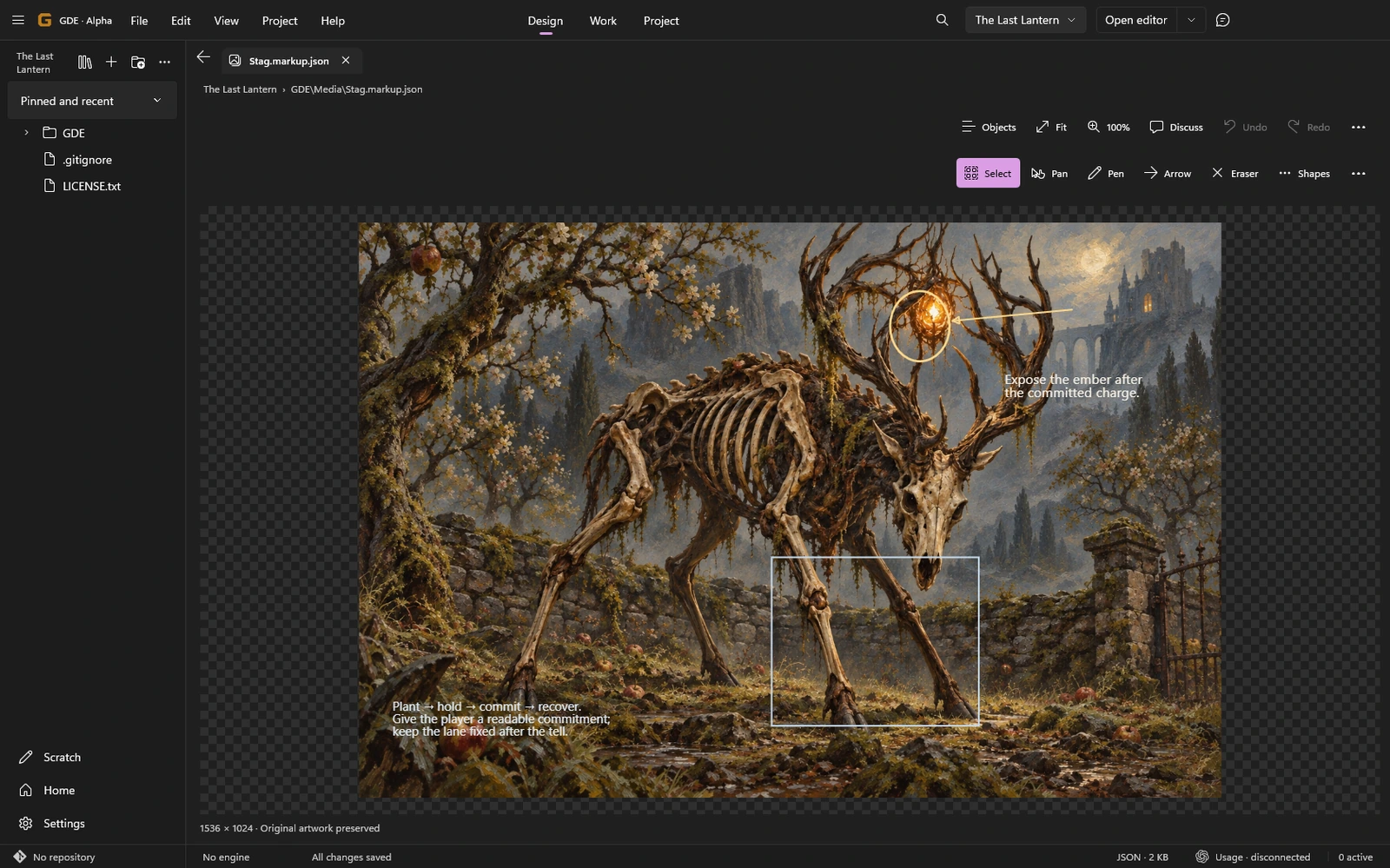
Markup is stored in a .markup.json file linked to the image. Export a PNG copy when you need a flattened composition. A flattened export is a result, not a replacement for editable annotations.
Discuss the visible composition
Section titled “Discuss the visible composition”Use Discuss to capture the visible composition as context for Director, then state what you want reviewed. The captured view and its source information describe that moment. Later annotation edits do not silently alter an earlier message’s image.
Connected discussion requires the configured Codex runtime. You can continue annotating locally without it. See Review concept art for a complete workflow.
Recover unsaved gestures
Section titled “Recover unsaved gestures”You can make consecutive valid gestures while earlier ones are saving. If a save fails, GDE retains the failed and queued edits. Use the offered retry or Save retained copy path; do not reload over work you still need.
A changed original image requires an explicit relink. The app cannot infer whether the old annotations still refer to the same pixels.
Observe audio and video
Section titled “Observe audio and video”Local media opens without autoplay. Play it when you are ready, then use Note this moment to capture a timestamp or range in an observation. Capture frame records the nearest decoded video frame when available.
An .observation.md file keeps the note with its media reference and source identity. Use in issue adds the observation to a local issue draft; it does not publish the issue by itself.
These are references to recorded material. They do not establish a live engine recording or a gameplay test.