
Work and issues
Work shows the project’s issues and their associated Runs. Ordinary projects use GitHub as the issue authority; the bundled example uses clearly labeled local sample work.
Connect a repository
Section titled “Connect a repository”Use the project’s repository settings and the existing GitHub CLI connection in Settings → Connections. Confirm the repository before creating or changing an issue. Merely opening the board does not write to GitHub.
Read the default board
Section titled “Read the default board”| Lane | Meaning |
|---|---|
| Backlog | Open issue without the configured Ready label. |
| Ready | Open issue with that label. |
| Done | Closed issue. |
Drag a card into a lane, including an empty lane body, or use its move action. Moving a closed issue to Backlog or Ready reopens it. Within-lane reordering uses Manual order; title and number sorting are separate choices.
Running, Waiting, Failed, Stopped and Needs review describe associated execution. They are not additional workflow lanes. A closed issue may still have a result needing review.
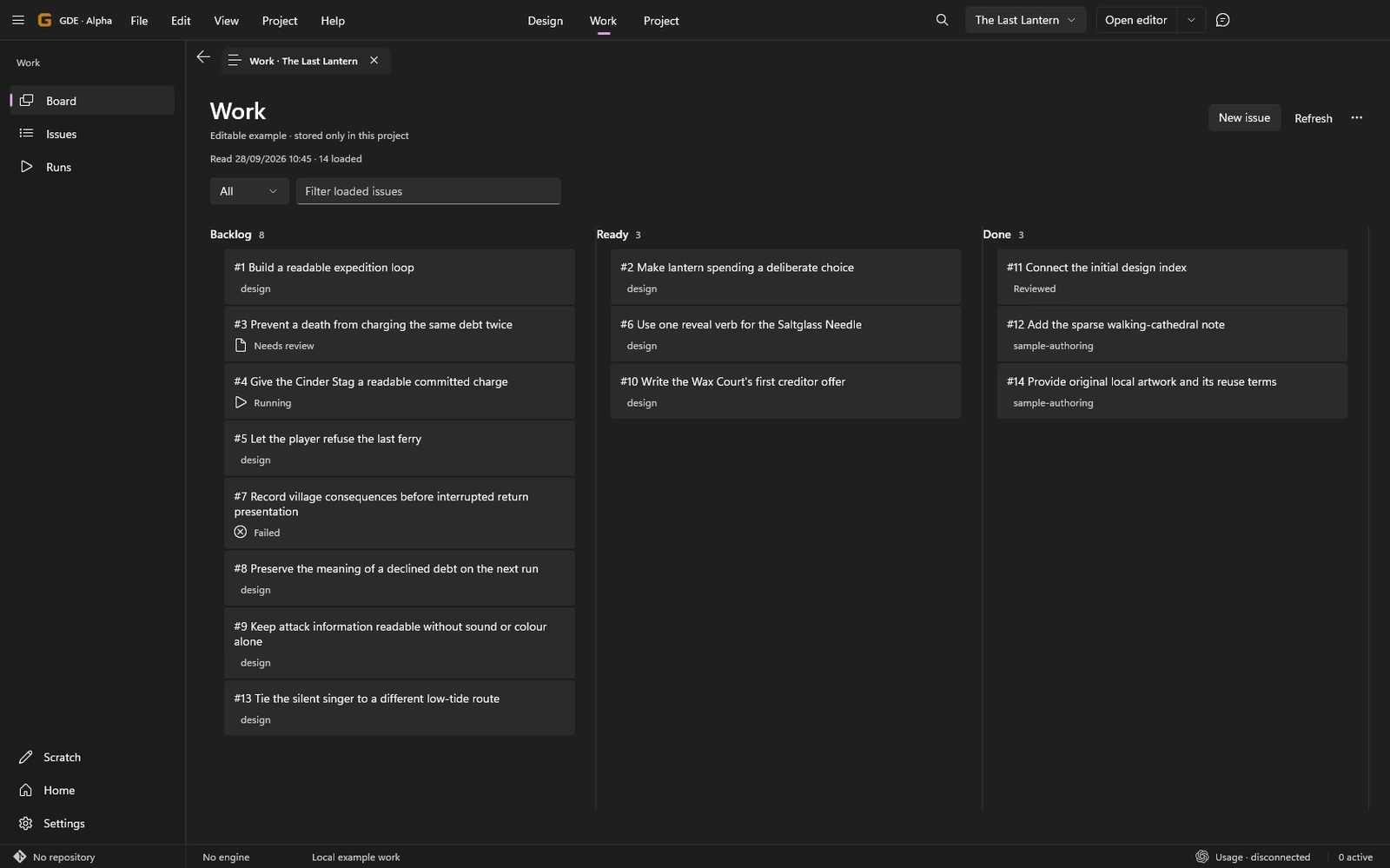
Inspect and edit an issue
Section titled “Inspect and edit an issue”Select a card to read its preview. Expand or open it for the central issue reader. Follow linked design and related Runs from that same issue.
Use Edit to change the title or body; reading does not put you into an edit form. Preview your writing before submission. Comments have their own retained draft until you send them.
If the remote issue changed, review the latest version before applying your draft. If delivery is uncertain, use the delivery check instead of sending the same issue or comment again. Troubleshooting covers recovery.
Start implementation explicitly
Section titled “Start implementation explicitly”Use Implement or make an explicit implementation request through Director after the task and relevant design are clear. Moving to Ready does not start a worker. Closing an issue does not stop a worker or accept its result.
Review the associated Run and result separately. Optional GitHub Projects configuration is available under Work options; the default board does not require creating one.