
The Mess manual
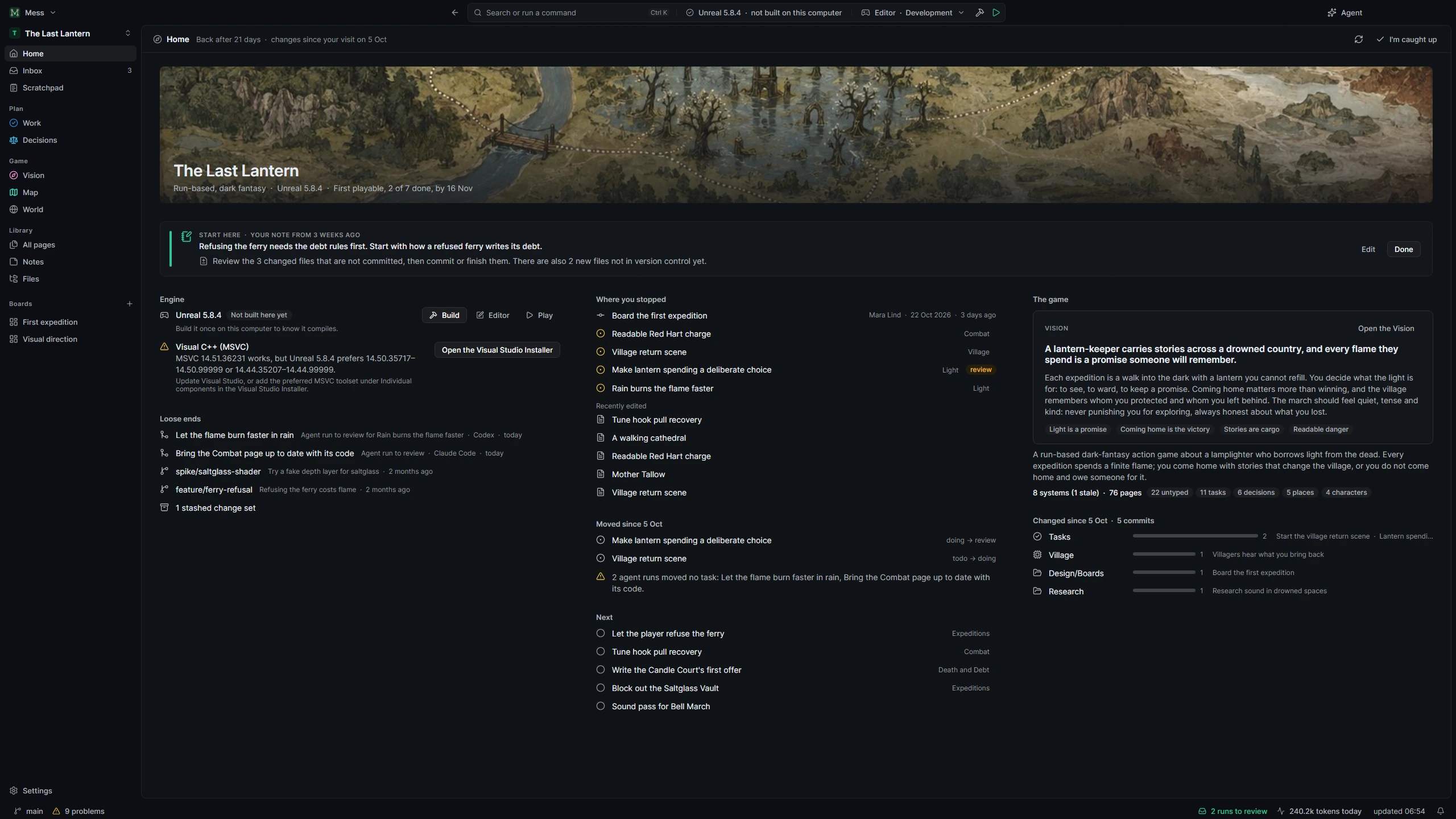
Mess is a native Windows app that sits on top of your game’s folder. It reads the Markdown pages, the code, the engine project and the Git history that are already there, and shows you where things stand: what is unfinished, which design pages fell behind their code, what changed while you were away, and the one thing to do next. Your files stay ordinary files; Mess keeps only its own .mess folder beside them.
This manual covers the unreleased alpha. There is no public download linked here. Read Alpha status for what it does and does not claim.
What to expect: a small project works as it is. A game built over years, with agents writing much of it, stays dense however it is kept; Mess makes it easier to follow than the same project spread over other tools, and understandable with some reading, never without it.
Start here
Section titled “Start here”- Your first project: try the sample, open your own game folder, or make a new project.
- The sample project: The Last Lantern, eight months of history with every situation Mess handles.
- How Mess reads a project: pages, types, links and the
.messfolder.
The places in Mess
Section titled “The places in Mess”The rail on the left holds every place. Ctrl K finds anything, and ? lists the keys.
- Home: the briefing for coming back.
- Inbox and problems: runs to review, ideas to sort, and problems with the fix Mess plans.
- Pages and types: reading and writing pages, properties, links and your own types.
- Work and decisions: the task board, the roadmap and the decision log.
- The Map: systems and how fresh their pages are, every page and its links, and how knowledge flows into design.
- The Vision: one short page that says what the game is and is not.
- Boards and pictures: reference boards, sketches and the image viewer.
- Files and Space: formats, copies, names, build junk and where the disk space goes.
- Agents: your own Claude Code or Codex, working on a branch, with a report Mess checks.
- Engines: Unreal builds, the editor and what Mess knows about its files.
- Settings and keys: habits, looks, your own keys and the project’s settings.
Guides
Section titled “Guides”- Pick a project back up after weeks or months.
- Bring an existing project in without changing its files.
- Review an agent’s run before it reaches your branch.
- Keep research flowing into design.