
Boards and pictures
A board is a canvas of pictures, cards and arrows, saved as an ordinary .canvas file in the project, as in Obsidian. Boards are listed at the bottom of the rail.
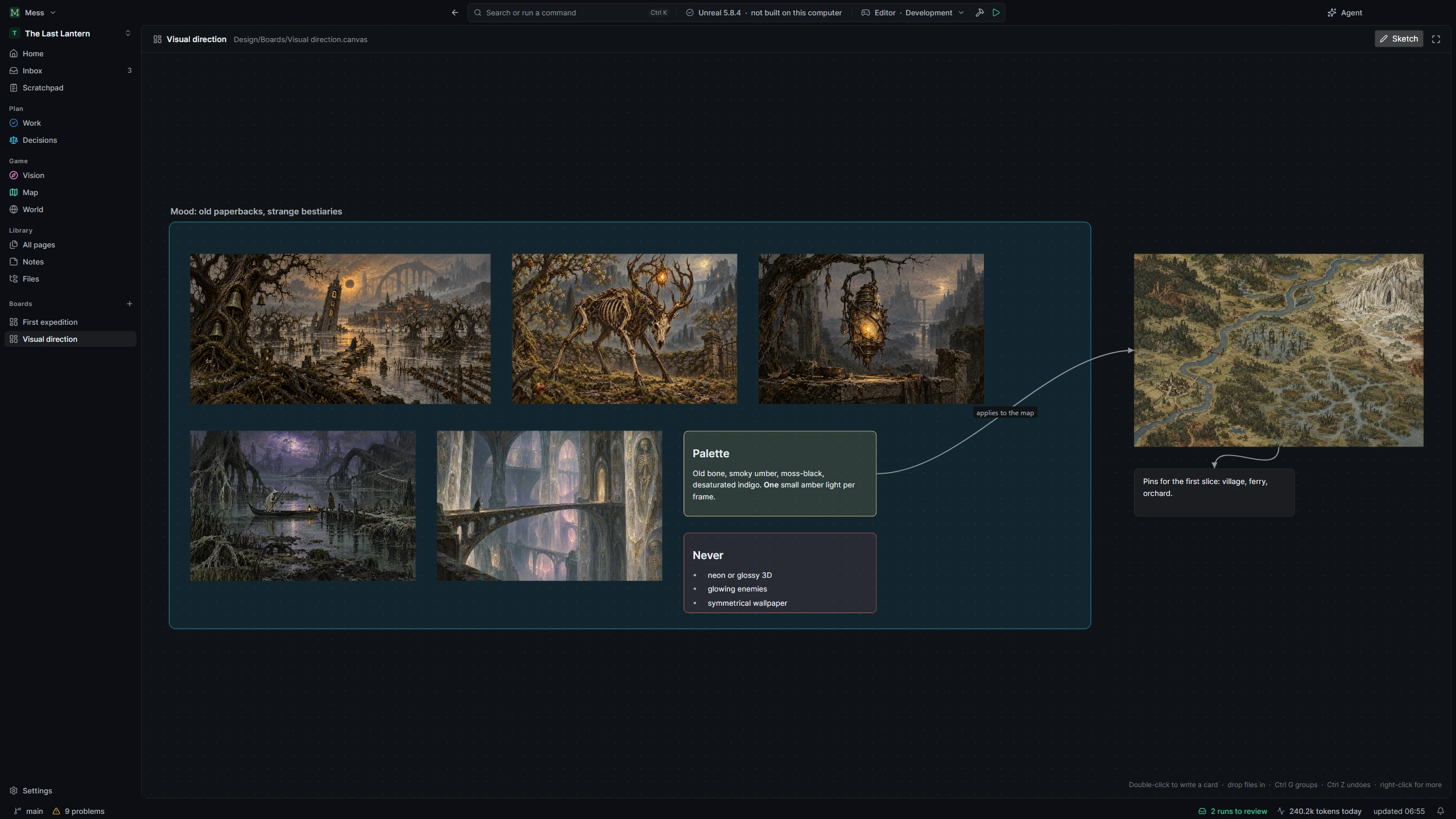
Working on a board
Section titled “Working on a board”- Double-click to write a card, and drop files in from the Files screen or Explorer.
- Drag the handle on a card’s side onto another card to draw an arrow; select several and press Ctrl G to group them.
- Ctrl Z and Ctrl Y undo and redo on the board, a hundred steps back. Right-click for everything else.
- Sketch draws over the whole board; the sketch is kept as an SVG beside it.
Pictures
Section titled “Pictures”Any picture opens in the image viewer: PNG, JPEG, BMP, GIF, WebP, and the TGA and DDS files engines use. It zooms with pixels kept square from 200%, shows a checker, dark or light ground behind transparency, and steps through the folder with the arrow keys. Sketch draws over a picture without changing it, for notes on concept art.