
Files and Space
Files has two views: Summary and Space.
Summary
Section titled “Summary”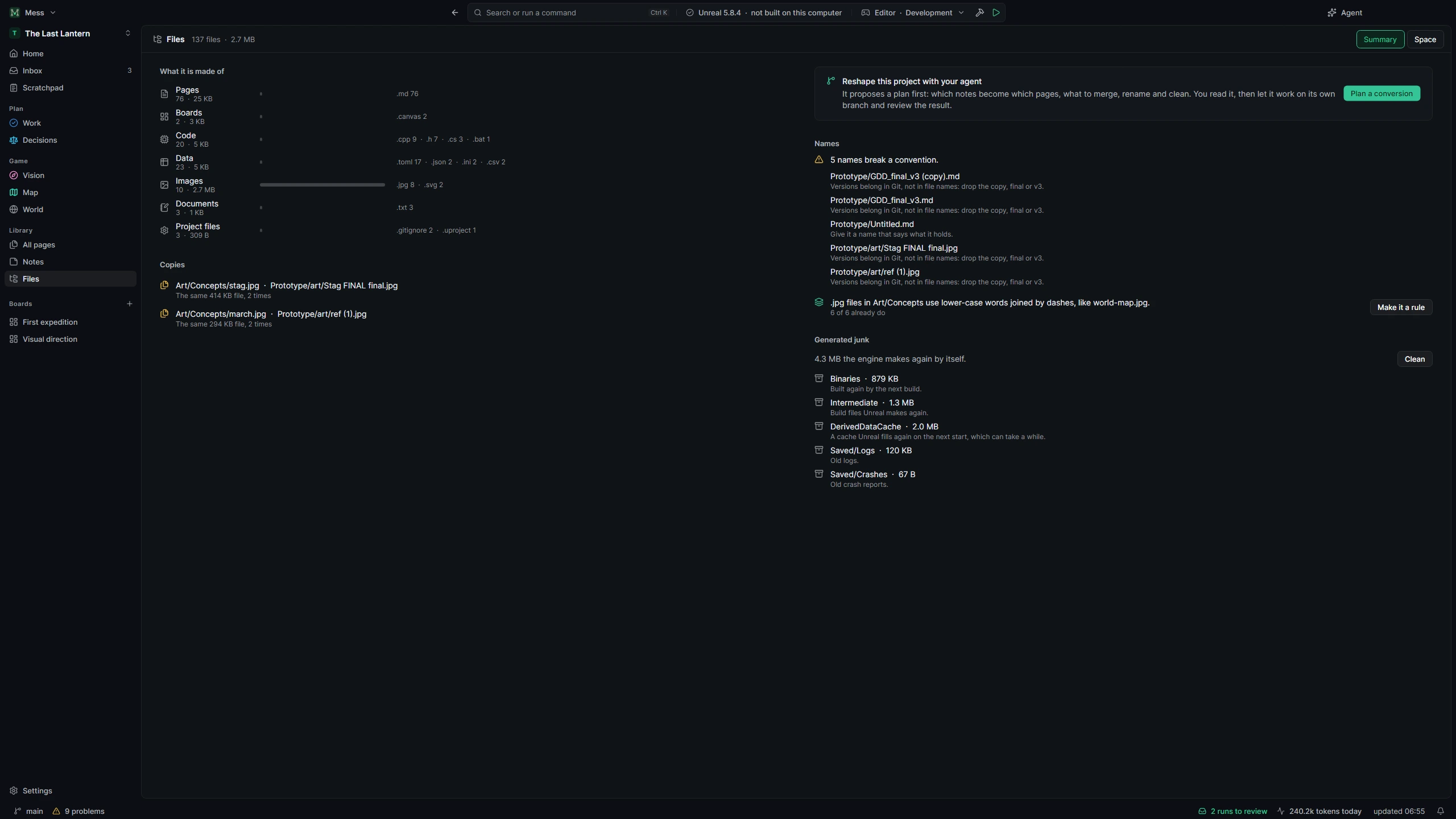
- What the project is made of: every kind of file (art, audio, code, documents, engine assets) with how many there are and their size, and formats Mess does not know yet.
- Copies: files of 64 KB or more with exactly the same content, largest first.
- Names: the naming rules that apply (Mess’s own against versions and placeholders in names, the engine’s, such as Unreal’s asset prefixes, and the project’s) and the files that break them. Mess also proposes rules a folder already mostly follows, such as
.jpg files in Art/Concepts use lower-case words joined by dashes; Make it a rule adopts one. When many folders already keep their own pattern, one card asks once and says how many files the rules would flag: Make them rules adopts them all and Show them lists each. - Generated files: build output, caches, logs and crash dumps the engine makes again by itself. Clean deletes them after a second click; folders with files in version control, and the editor’s own settings and autosaves, are always kept.
Plan a conversion asks your agent to write a plan for bringing the project’s files in line, and change nothing; the run’s report then offers to carry the plan out.
Space is a map of where the disk goes, as WinDirStat draws it: blocks sized by size, nested by folder, coloured by what each file really is. Generated files, Git history and Mess’s own files are hatched grey; Only yours leaves them out. Pointing at a kind lights it on the map, a click opens a folder, and Backspace goes back up. The list beside the map names the biggest files, how much of the project is in Git, in Git LFS, new or ignored, and how much changed this month.
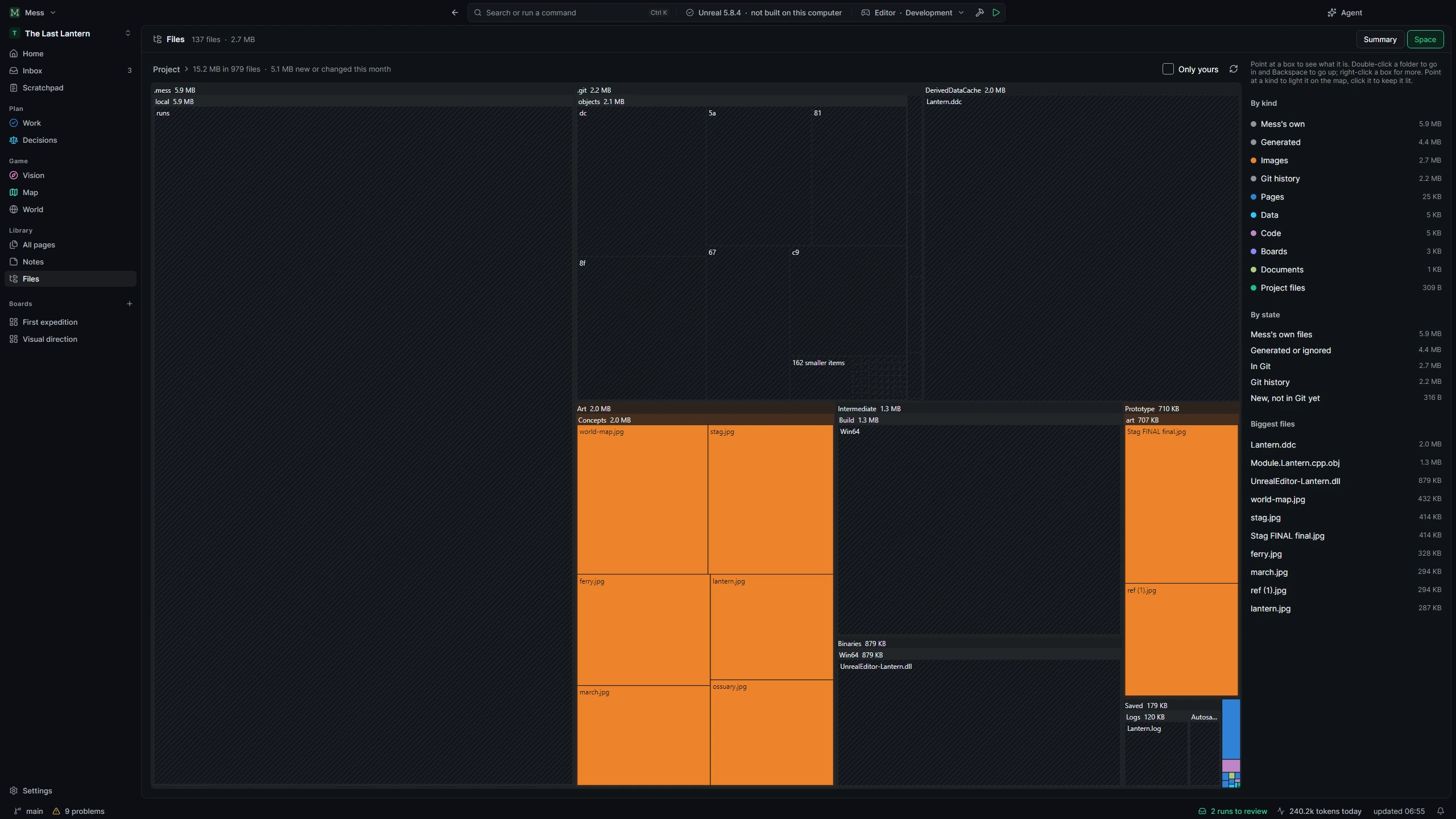
Folders can have a size budget in .mess/space.toml; Space shows how full each one is.