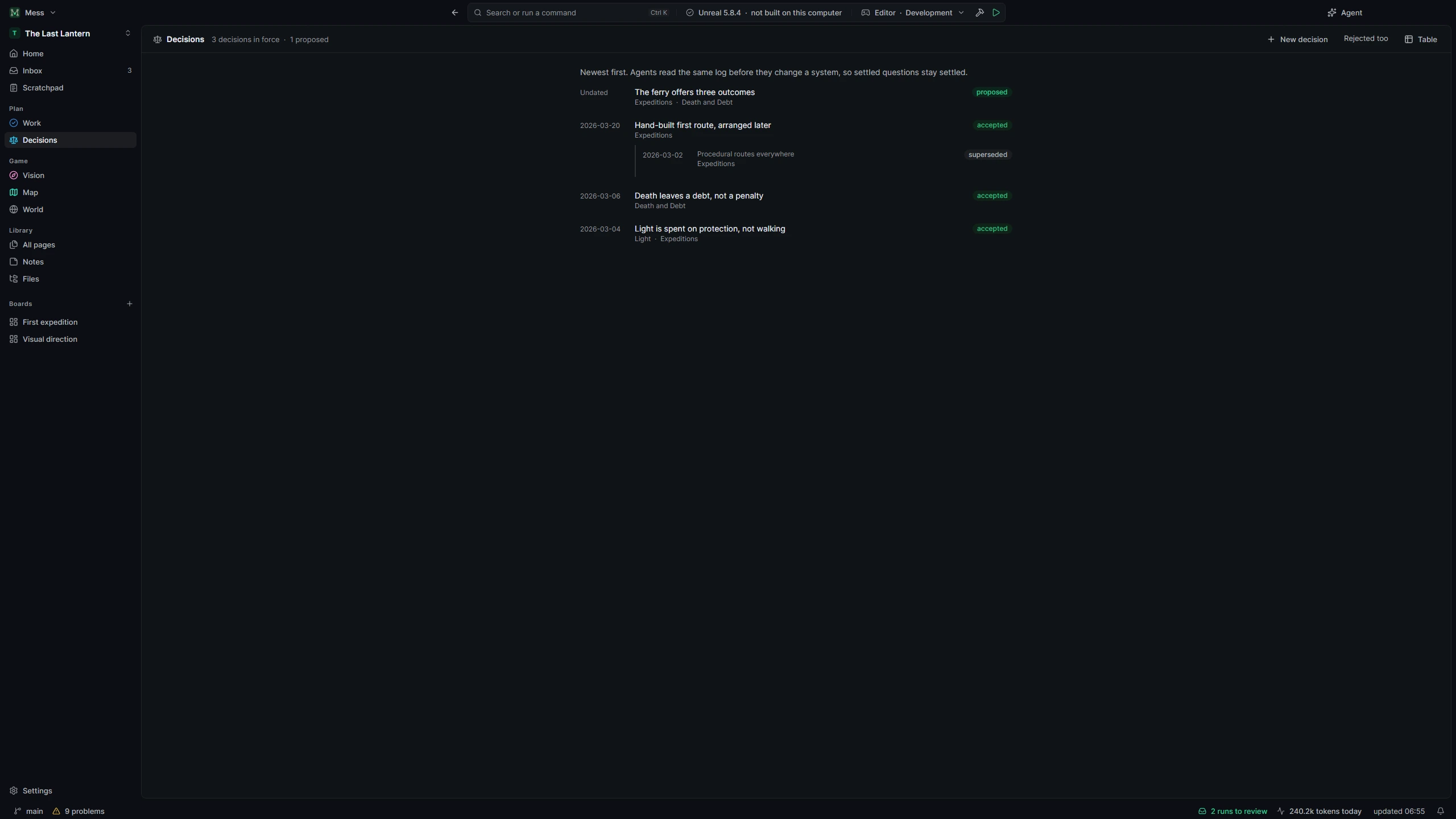
Work and decisions
Tasks, milestones and decisions are pages like any other, so you, your agents and Mess plan in the same place.
The board
Section titled “The board”Work opens the task board: a lane for each status, a card for each task with its system and milestone. Dragging a card to another lane changes that one line of the task’s page. Display chooses what cards show and how lanes are grouped. Lanes with thousands of cards stay quick, since only the cards in view are made.
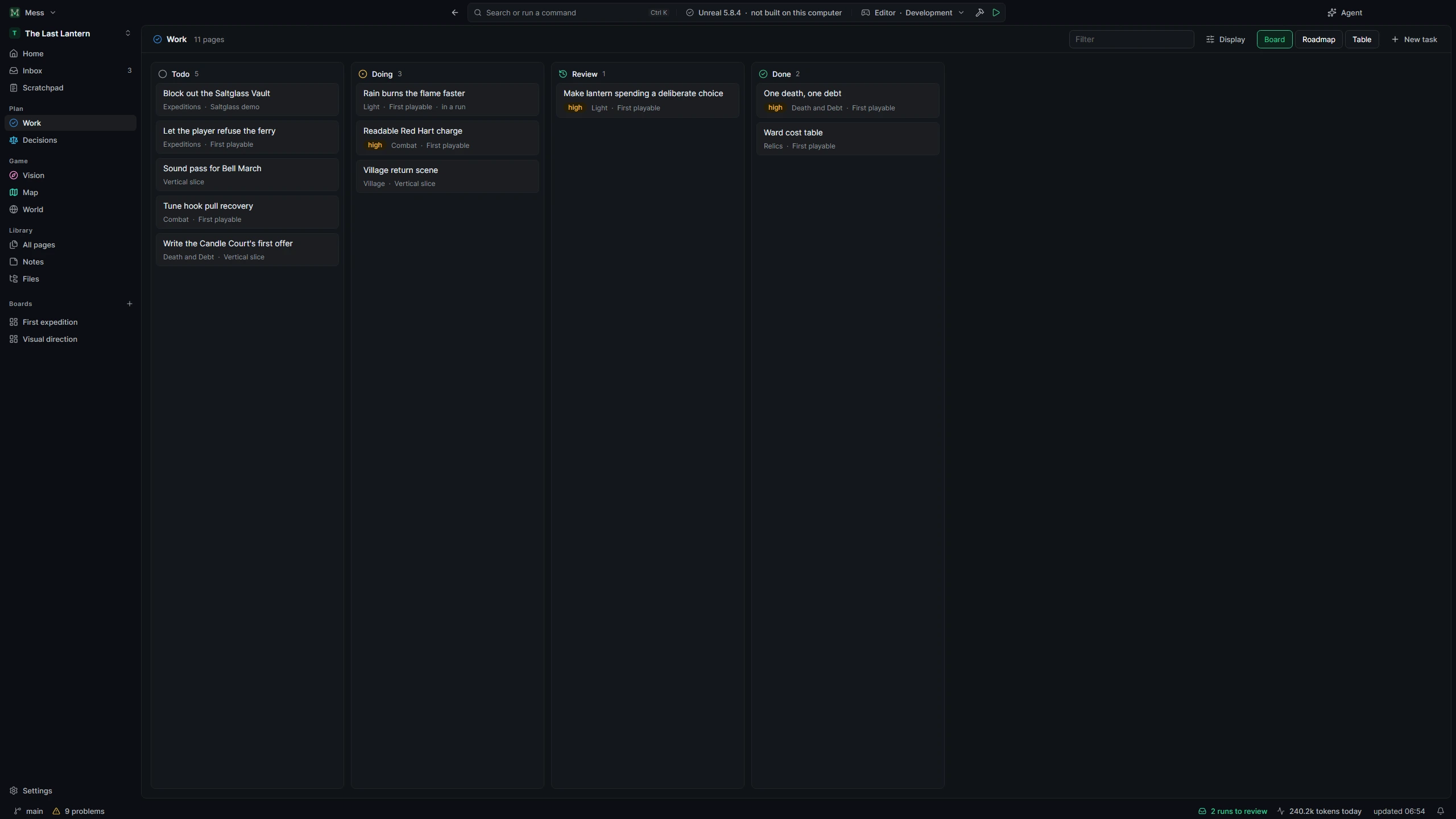
Table shows the same tasks as a sortable table. The roadmap lives in the Compass, below.
The Compass
Section titled “The Compass”Compass, in Plan and in the frame (a live disc at the top of the sidebar, on the seam beside your screens, with the course in words; G C opens it), answers one question: is the effort going where the current milestone needs it? Mess works it out from the project’s own history each time, with no AI model, and nobody edits it, neither you nor your agents. To move it, change the work, or what feeds it: tasks, milestones, and which folders belong to which system.
- Effort is the last 21 days with a commit, each day counted once and shared among the systems its changed files belong to, so a day of generated files weighs no more than a day of hand work. Idle days are skipped, so after a long break it still shows the course you left.
- The course is judged day by day against the milestone that was current that day: work on a system with tasks open in it is on course, however focused. The angle is the share of the effort that went where the milestone needed nothing: under 15° on course, up to 45° drifting, beyond that off course. Hover the angle for the days it was read from; a few degrees either way is noise.
- A floor. Without a dated milestone with open tasks, or with under half the recent work placed in systems, the Compass shows no angle and says what it needs.
- Patterns it names, with what shows them and one step out: Polish Before Core (a system whose milestone work is done keeps taking the effort while others wait), Feature Creep (the milestone gains tasks faster than it closes them), Tool Yak-Shave (tools, scripts and editor code take the days) and Never Integrated (agent runs wait more than a week to be merged or dropped).
Trajectory draws the release at the top with a ring for each milestone on the way, the eight patterns around it as targets (the one found lit), and the course from the start, one dot a week, bending as it drifts, with the angle of the bend, the bearing to the release and the course projected to the current milestone’s ring. Beside it: the status with the angle in large type, why the course bends, and the critical path. Systems shows each system as a slice as long as its done tasks up to the release, with a line where the current milestone’s work ends and the milestone’s share in the centre, beside a table of their states; click a system’s share of the effort to see the commits behind it. Beside both: the course and the milestone’s pace, the patterns found, the effort against each system’s open tasks, and the next tasks on the critical path. Filter reads 21, 42 or 90 active days, or steers by another milestone. In a narrow pane the same information stacks in one column.
Roadmap puts the milestones on one time axis, the full width of the window, as bands, each from the one before it to its date, with how far along it is (what is done while it is under half, what is left after); under the current one, a strip shows where its pace lands it. Dates are dates, never a countdown. Once two milestones have landed, the current one’s pace adds how much later than planned your milestones landed, from the date each had when its page was first written; until then, your last project from setup stands in. Under them: the events that turned the project (milestones done, decisions, the drift passing 15°), each active week’s effort stacked by system, and the drift line over its three bands. Click a milestone for its card under the axis (or beside it, in Settings › General): when it is due, its goal, how far along, its pace and, for the current one, the effort against its open work, then its open tasks and + Add task. New milestone is in the header; tasks point at a milestone with their milestone property.
Starting an agent run on a task, or dragging one to Doing, on a system the milestone no longer needs shows one quiet line first. It never blocks anything; Settings › General can keep it quiet.
Decisions
Section titled “Decisions”Decisions is the project’s log of what was settled and why, newest first. A decision that replaced an older one shows it folded underneath, and Rejected too also shows the ones turned down. Agents read the same log before they change a system, so a settled question stays settled.