
The Map
The Map has three views, switched at its top right: Systems, Pages and Knowledge.
Systems
Section titled “Systems”A system is a page that names the code it describes in its paths property. The Systems view lays out every system, placed where you dragged it, and says whether each page kept up with its code:
- current: no commit has changed the system’s code since its page was written;
- drifting: a few commits have;
- stale: many have. A stale page is a candidate for Home’s Start here, and a good task for an agent.
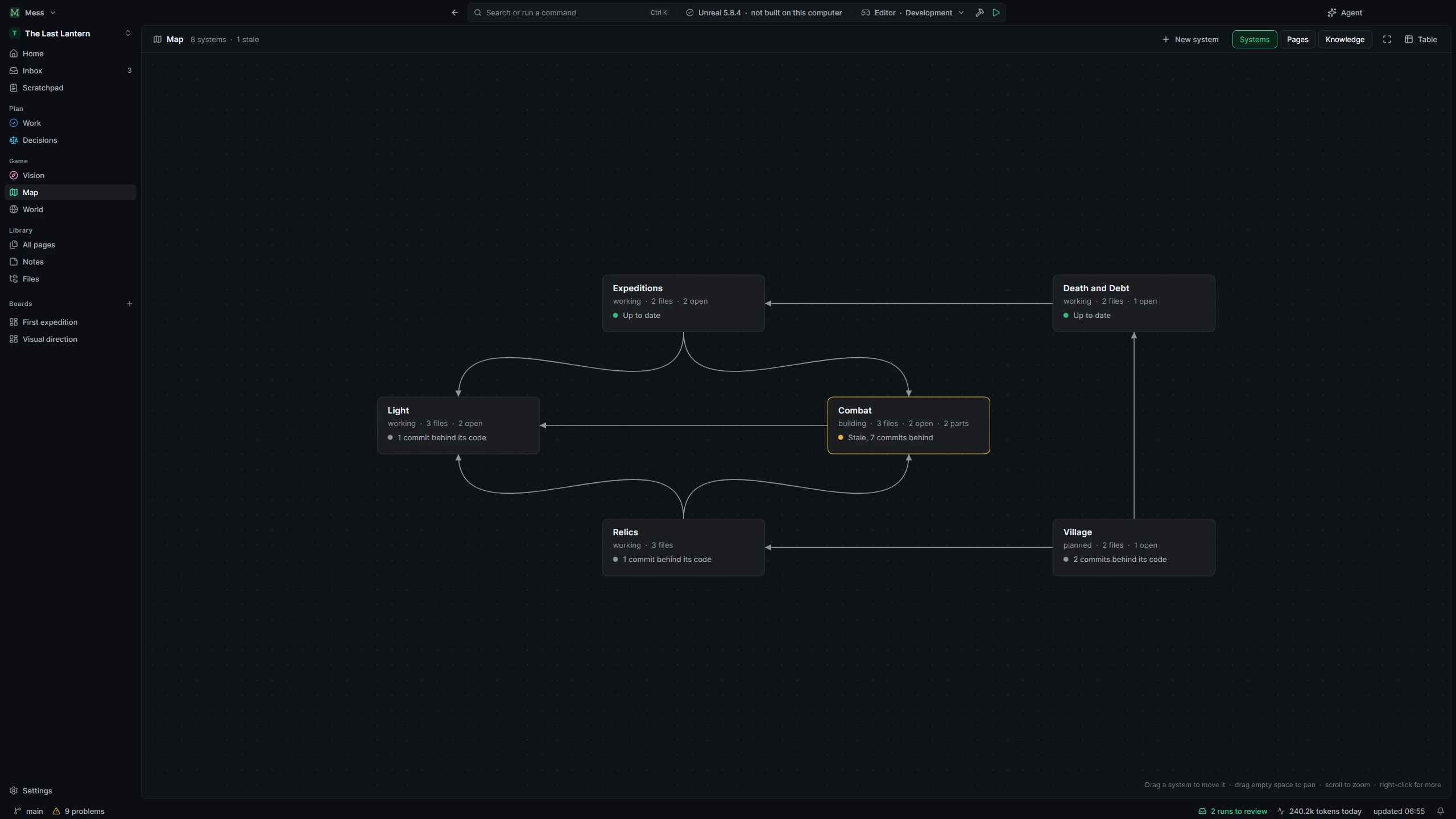
A system names its parent with a parent link. The top level shows the big systems, and opening one shows its parts, with a breadcrumb back.
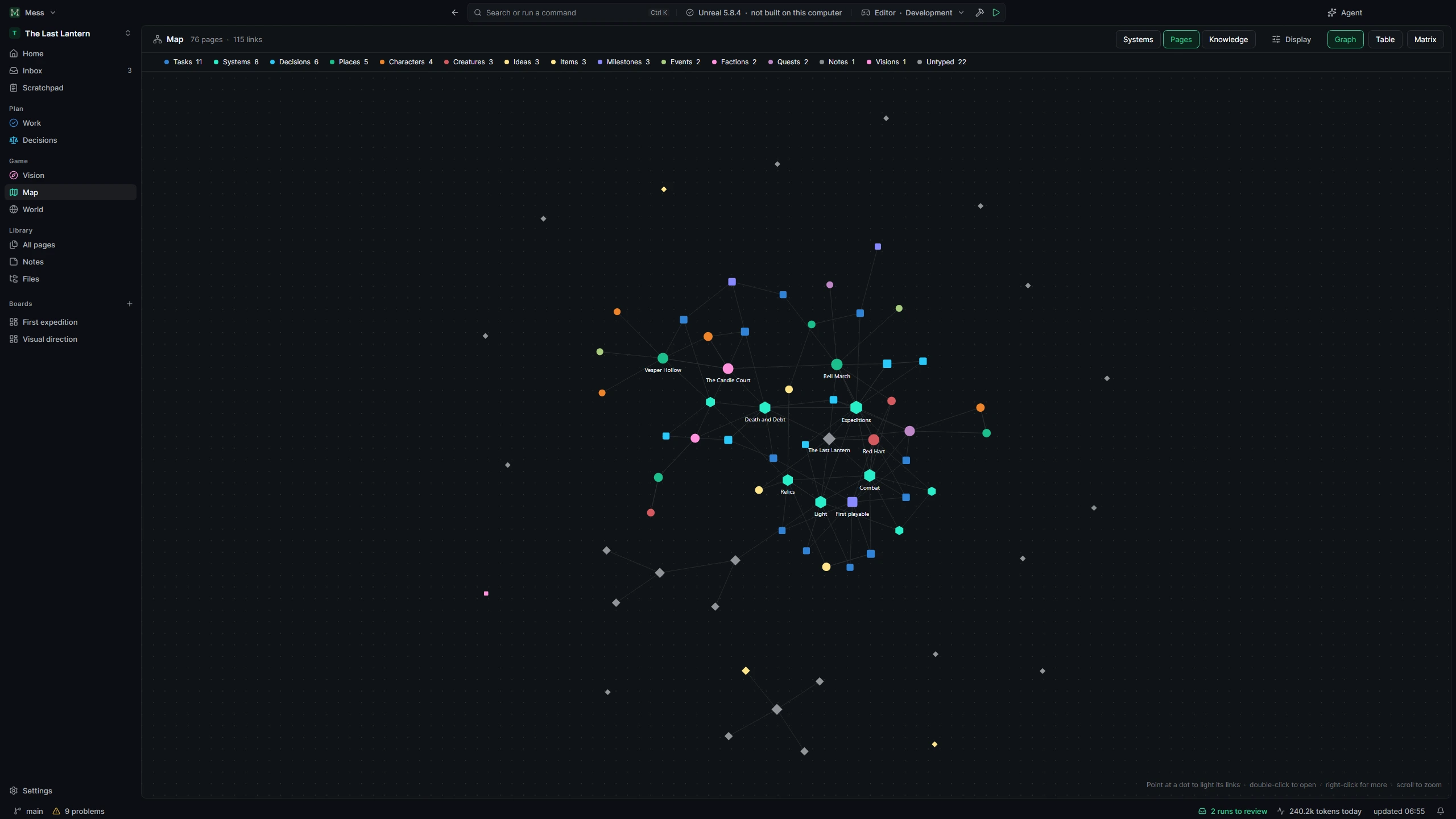
The Pages view draws every page as a dot and every link as a line, laid out so linked pages sit together. Places you have seen before keep their place. Display chooses whether dots are sized by their links, coloured by type, by role or by age, which carry names, and how strong lines are; the type chips above filter the graph. When a map is too dense to read, its table and its type-by-type matrix show the same links.
Knowledge
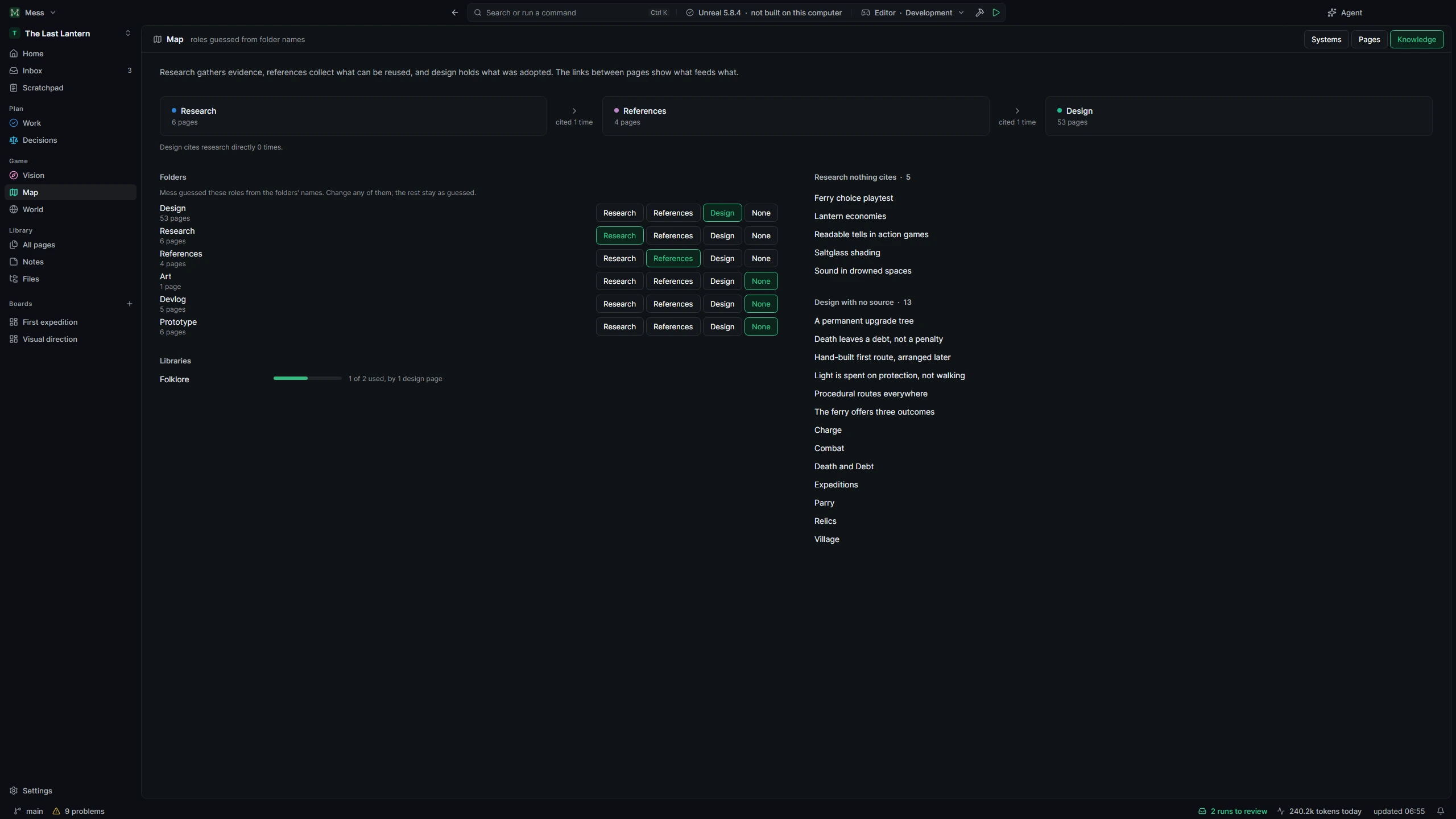
Section titled “Knowledge”The Knowledge view shows how the project’s research feeds its references and its design, the way large design repositories keep them: research gathers evidence, references collect what can be reused, design holds what was adopted.
- The flow: how many pages each role holds, and how often references cite research and design cites each.
- Folders: each folder with pages and its role. Mess guesses the roles from folder names; one click changes a folder’s, and the others stay as guessed.
- Libraries: each library inside a references folder, with how much of it design uses.
- Research nothing cites, and design with no source: systems, decisions and design documents that link to no research or reference. Lore and planning pages are left out.
A folder with an INDEX.md should list its pages and the INDEX of each folder below it; the Inbox lists what an INDEX misses, with a fix that adds it.